Should You Opt Out of a Smart Meter in Western New York?
A mailer arrived saying your utility will install a smart meter. Before you call, here is what the device is, what it transmits, and what opting out actually changes.
You open the mail and there it is: a notice that your utility will install a smart meter. The practical answer, before any ideology, is a two-step one. Identify the utility and the service type on the notice, then check that utility’s current policy before you decide anything. “Smart meter” is a family of devices, the rules are set per utility and per service, and the details that matter, eligibility, fees, and how to request a change, are current policy items, not fixed facts. This article walks through the decision the way a homeowner actually makes it.
Step One: Identify the Utility and the Service
Western New York is not a single utility territory. Most of the region is served by National Grid, but the map is patchier than people assume, and not every home or building is on the same provider. The notice you received is the authoritative source for your address: it names the utility, the account, and the service being changed.
Then notice which service. Electric smart meters and gas smart modules are different programs with different equipment, different rules, and sometimes different opt-out availability. A homeowner can be in one program, the other, or both, and a single “smart meter” decision in your head may actually be two decisions. If your notice covers gas, pause and treat it separately from the electric question.
What Equipment Is Actually Being Installed
A modern electric “smart” meter is a meter with three additions: a display, the ability to record usage in short intervals (commonly every 15 or 30 minutes) rather than once a month, and a radio that reports back to the utility. The metering itself, counting the kilowatt-hours, works the same way as the old meter. The interval data is what lets a utility read remotely, detect outages faster, and, for customers who opt in, offer detailed usage views.
On the gas side, the typical setup is an add-on radio module mounted to an existing meter rather than a full replacement. It reports usage data back to the utility and usually does not change how the meter measures.
The distinction matters because people often imagine a large new transmitter going on the house. The reality is a compact device, usually on the same exterior location as the old meter, with a small antenna.
What the Meter Collects and How It Transmits
Three kinds of information move from the meter to the utility: usage data in intervals, outage and power-quality information, and meter status. Two properties of the radio matter for anyone thinking about exposure, and both are general characteristics of the device class rather than promises of a specific model:
- It transmits intermittently, not continuously. A typical AMI meter communicates in short bursts, often once per interval or a few times a day, for seconds at a time, rather than broadcasting a steady signal. A measurement taken for thirty seconds has a real chance of catching nothing, even if the meter is transmitting normally on average.
- It transmits at low power, on a limited set of frequencies. U.S. residential meters commonly use a sub-GHz band around 900 MHz or the 2.4 GHz band, and the transmit power is modest by design, enough to reach the utility’s collector, not to cross the neighborhood. The exact band and transmit pattern vary by model, so treat your meter’s manufacturer documentation as the final word on the specifics.
Those two properties, intermittent and low-power, do two different things. They mean a single quick measurement is an unreliable test. And they mean that in a house with its own Wi-Fi, phones, and smart devices, the meter’s contribution to what an indoor meter reads is often a small, sometimes absent, slice of the total.
What Opting Out Actually Changes
Here is the decision as a side-by-side, with the honest gaps marked where current policy belongs:
| Keep the smart meter | Opt out (if available to you) | |
|---|---|---|
| Equipment on the house | Smart meter with display and radio | Replacement meter without radio (type varies by utility) |
| Usage data | Interval data, remote reads, outage detection | Typically periodic manual or drive-by reads; coarser data |
| Customer-facing features | Detailed usage views, outage alerts where offered | Often reduced or unavailable; check current program rules |
| Charges | None beyond the base service in most programs | Possible one-time replacement charge and/or recurring fee — verify current amounts with the utility |
| RF environment | One intermittent, low-power source at the meter location | That source removed; all other indoor and neighborhood sources unchanged |
Two honest gaps sit in that table, and we would rather mark them than invent numbers. One: whether your utility currently offers the opt-out at all, and who qualifies. Two: the current one-time and recurring charges. Both are set by the utility and the commission, and both have changed over the life of the program. The durable advice is mechanical: before deciding, get those two answers in writing from your utility, because they are the entire cost side of the decision.
Why a Short Indoor Measurement May Miss the Transmissions
This is where measurement discipline matters most, because the intuitive test, “I’ll point the meter at the window for a minute,” is exactly the test most likely to fail for a boring reason: the meter may simply not have transmitted during your minute.
Recall the two properties from above. If the device communicates in seconds-long bursts a few times a day, a thirty-second observation can read clean even in a perfectly normal installation, and a brief spike can look alarming in a quiet one. The reading is real either way; it is just a sample from an intermittent signal.
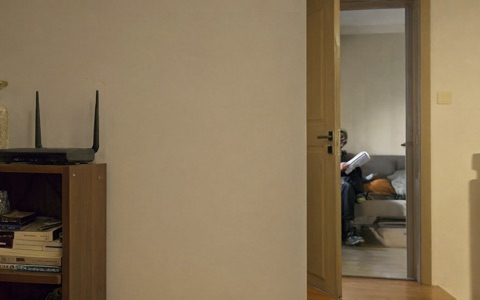
There is a second reason a single number is misleading. An indoor radiofrequency reading is a sum. It includes your own Wi-Fi router, phones, baby monitor, smart plugs, and the meters of the several neighbors whose meters may be transmitting nearby. The utility meter is one contributor among several, and a measurement plan that cannot separate “the meter” from “everything else in the area” will answer a different question than the one the opt-out decision needs answered.
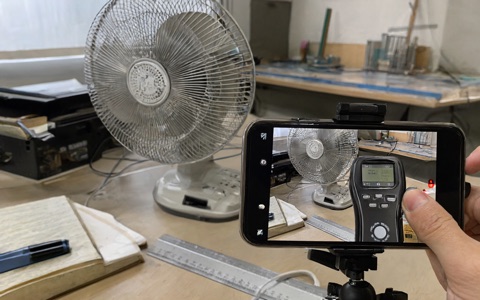
The workable version is modest: choose one or two occupied locations, measure at the same times across several days so that a few bursts get sampled, and log the time, location, and what else was powered on. Three to five days of that is enough to see whether the meter’s transmissions are arriving at your window at all, and how large their share is. It is a smaller project than most people fear.
The Homeowner’s Checklist
Before you call, have these in hand:
- The utility name and account number from the notice, and whether it covers electric, gas, or both.
- Your utility’s current smart meter page: opt-out availability, who qualifies, one-time and recurring charges, and the request channel.
- The location of your meter relative to occupied windows, and which rooms face it.
- A short measurement plan: one or two indoor locations, same times, several days, field type and units noted, time logged.
- Your list of other wireless devices near those locations, so a reading can be attributed.
With that list, the decision is a comparison you can actually run: what the opt-out costs in fees and features, against what the meter adds to the indoor environment, measured rather than imagined. Neither number needs to be big for the comparison to be meaningful.
Sources
- Your utility’s current smart metering materials for your service territory (electric and gas, separately), for opt-out availability and current charges.
- New York State Public Service Commission orders governing the regional advanced metering program, for the rulebook the utility implements.
- Manufacturer documentation for your specific meter model, for the transmit band and duty cycle.
Figures and charges are set by the utility and commission and change; this article names where to check rather than quoting amounts that may be outdated.
Common questions
Frequently asked questions
The option depends on your utility, your service type, and the current rules in your state. Upstate, the NY Public Service Commission has overseen the smart meter program, and utilities have been required to offer customers alternatives under specific conditions. The details, including who qualifies and how to request it, change, so the reliable move is to check your utility’s current smart metering page or call customer service before deciding.
We are deliberately not quoting figures in this article, because one-time and recurring charges are set by the utility and the commission and have changed over time. Ask the utility for the current one-time charge (if any) for a replacement meter, whether a recurring fee applies, and how long the opt-out status lasts. Those three answers determine the whole math of the decision.
The distance and the path matter more than the anxiety. RF from a meter is intermittent and attenuates quickly with distance and walls. If the meter sits close to an occupied window, a short measurement near that window, repeated over a few days, tells you what is actually arriving indoors. That is a measurement question, and a short, well-planned one at that.
No. The meter is usually one of several RF sources in and around a house. Your own Wi-Fi, phones, baby monitors, smart plugs, and the meters of neighbors all contribute. Replacing one source changes the mix, not the category. A before-and-after measurement at the same indoor locations is the only way to see the actual change.
Start with the occupied rooms you spend the most time in, at the places you actually sit or sleep, with the meter in its radiofrequency mode, and log the time. Do this on a few different days, because meter transmissions are intermittent. If you would like help designing and documenting that plan, see the remote consultation below.